
Mocky
Mocky
An AI-powered interview practice web app.
Problem
Interview preparation needs more than self-reflection.
Job seekers often lose confidence after repeated interview rejections. Without structured feedback or tracking, they struggle to see improvement and maintain motivation.
Research
Understanding what job seekers need.
Initial Design Directions
I initially explored three ways to help job seekers build confidence and improve their interview skills:

Help job seekers visualize progress and see their improvement over time
Use AI to analyze performance and give actionable feedback

Support job seekers with AI-driven encouragement
Primary Research
To validate these directions and better understand job seekers’ needs, I conducted interviews and a survey.
3 Interviews
Explored job seekers’ interview preparation experiences and needs.
24 Survey Responses
Examined attitudes toward feedback, progress tracking, and AI support.
Job seekers lack structured feedback and evaluation
90%
rely on self-reflection to evaluate performance.
67%
struggle with the lack of feedback.
Users want analytical AI support, not emotional encouragement
81%
want AI support for performance analysis.
28%
want AI to provide emotional support.
Refined Design Focus
Based on these findings, I narrowed the design focus to progress tracking and AI-powered performance feedback, prioritizing actionable insights over dedicated emotional encouragement features.
Help job seekers visualize progress and see their improvement over time
Use AI to analyze performance and give actionable feedback
Ideation
Exploring ways to support everyday practice.
From these research directions, I began exploring possible solutions.
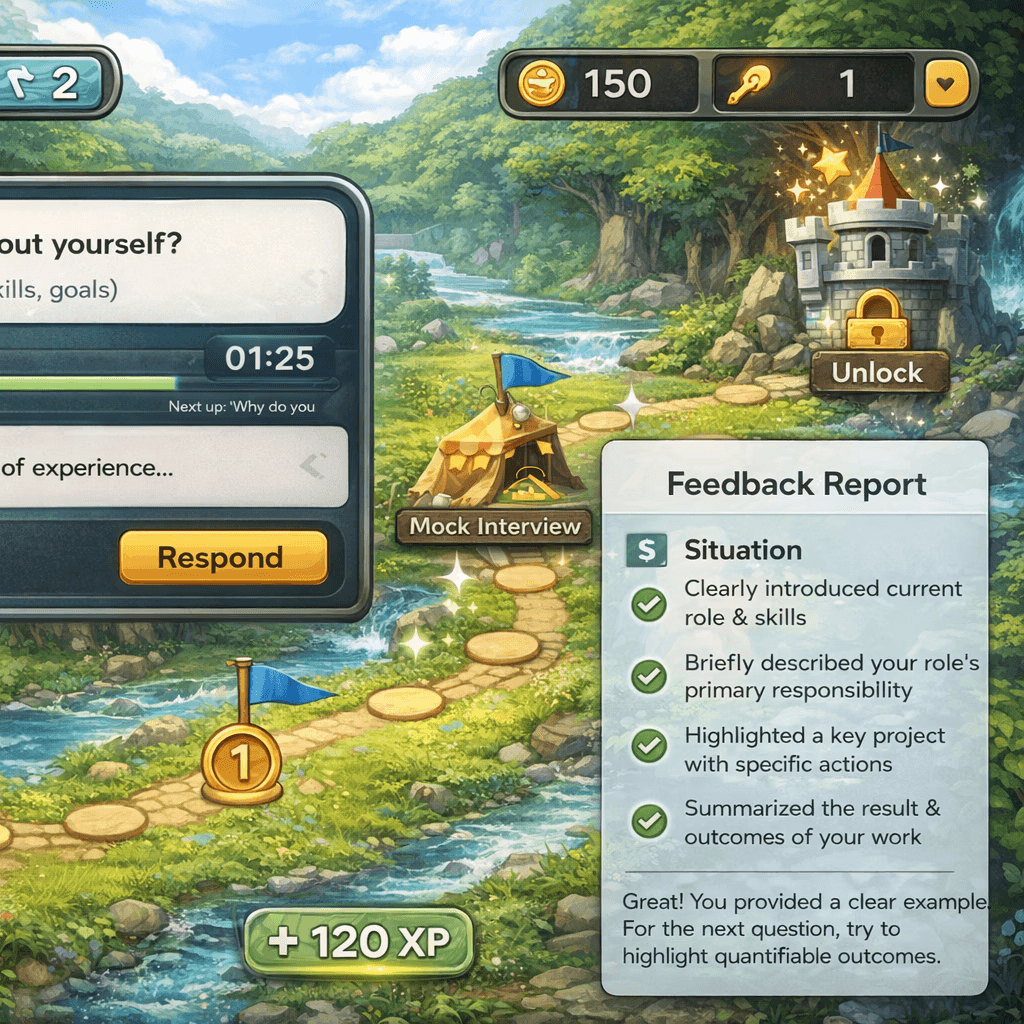
Game-Based AI Interview Tracker
Gamified practice with progress tracking
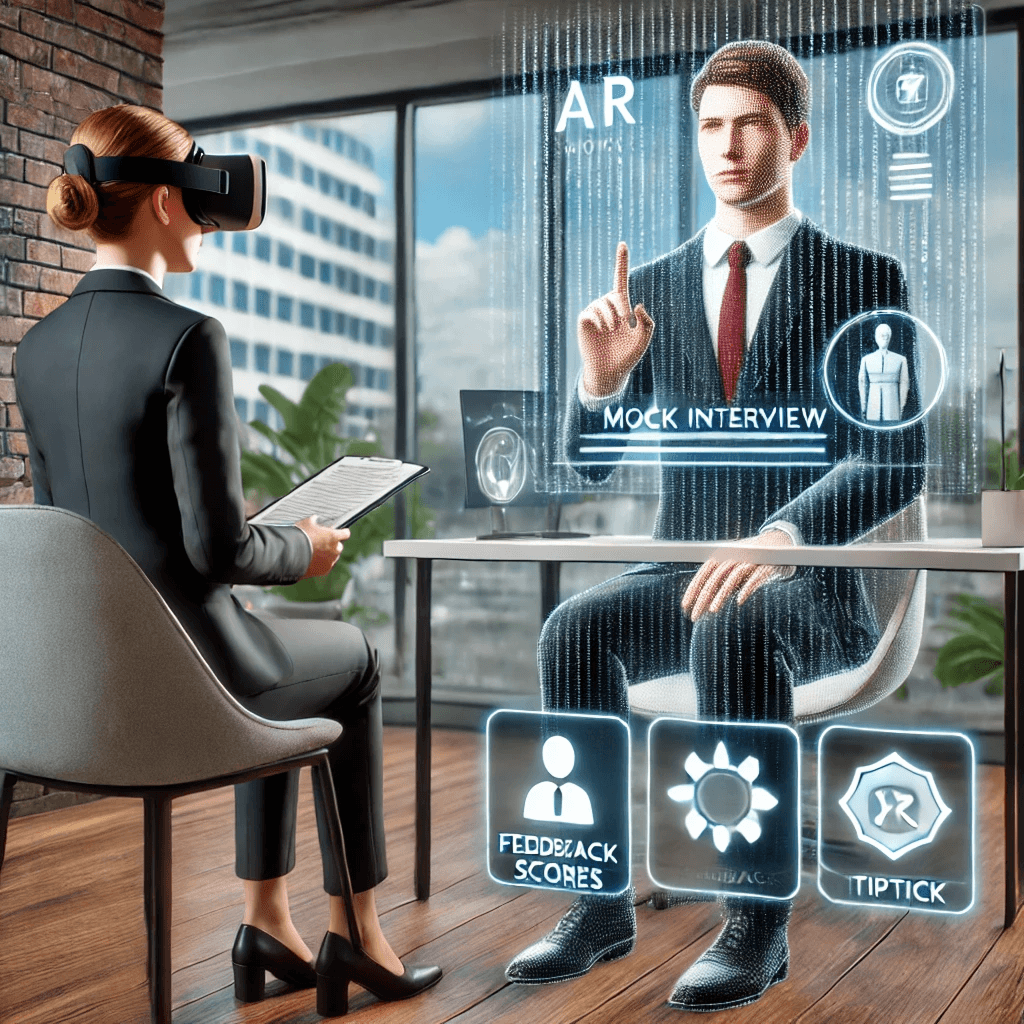
AI-Based VR Mock Interview
Immersive, realistic interview simulation
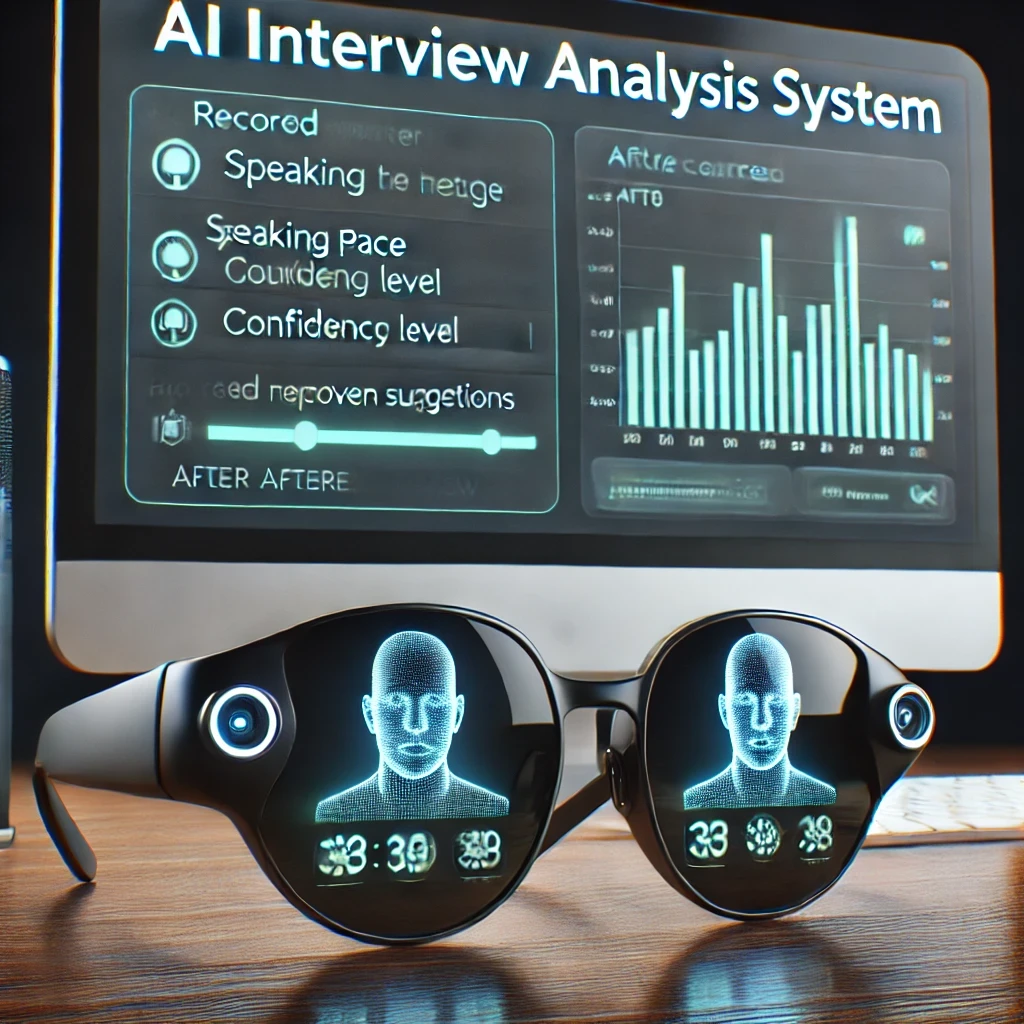
Smart AI Glasses for Interview Analysis
Real-time performance analysis
Design Decision
I decided to create an accessible AI interview practice platform focused on structured practice, actionable feedback, and progress tracking. Building on the Game-Based AI Interview Tracker concept, I kept the progress-tracking features while moving away from gamification to prioritize a more practical experience.
Core Features
A focused toolkit for building interview confidence.
Question & Answer
Practice interview questions with voice or text responses.
Performance Analysis
See scores and feedback based on the STAR framework.
AI Feedback
Receive suggestions and example answers to improve.
Answer History
Review past answers and track your improvement over time.
Early Sketch
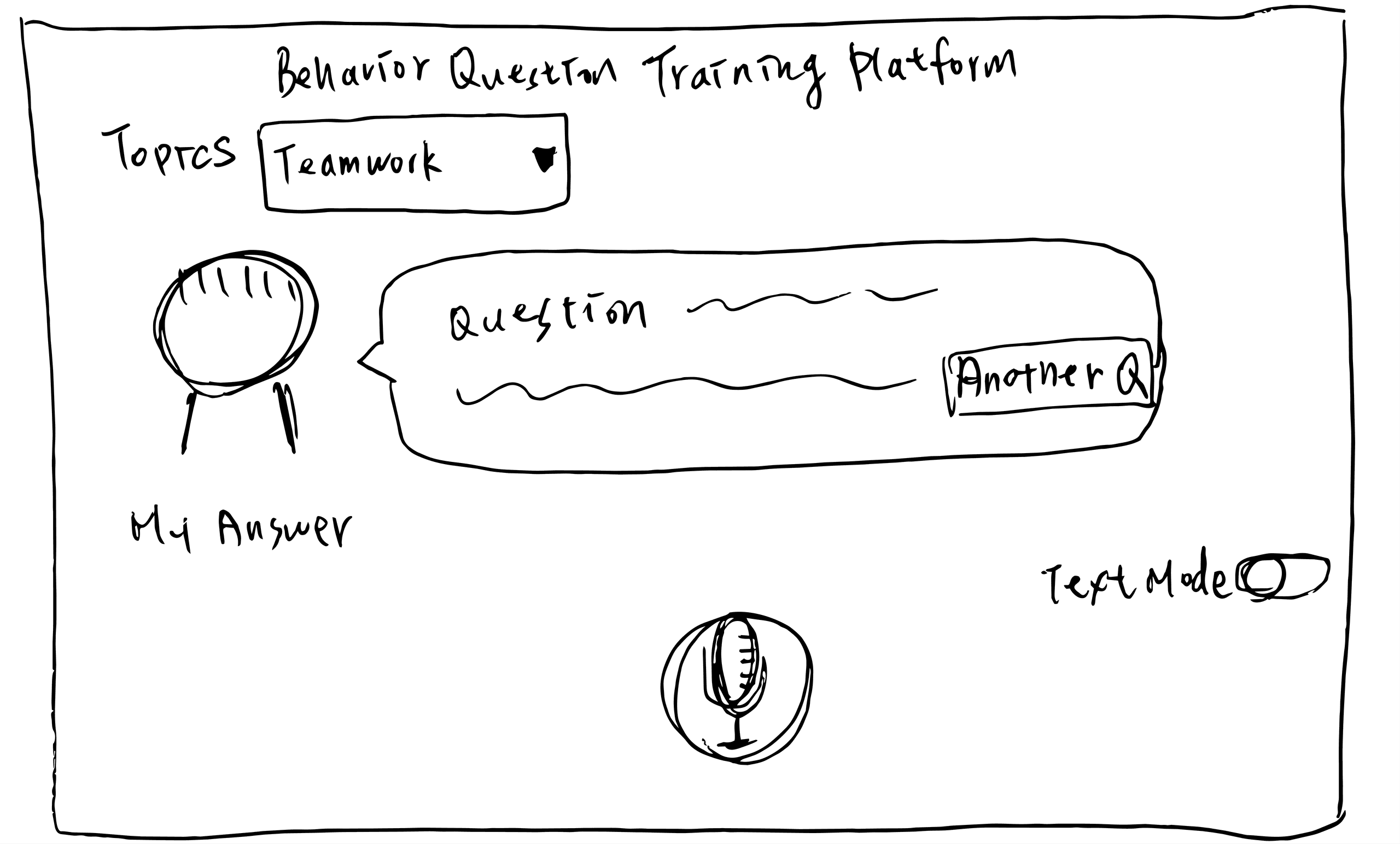
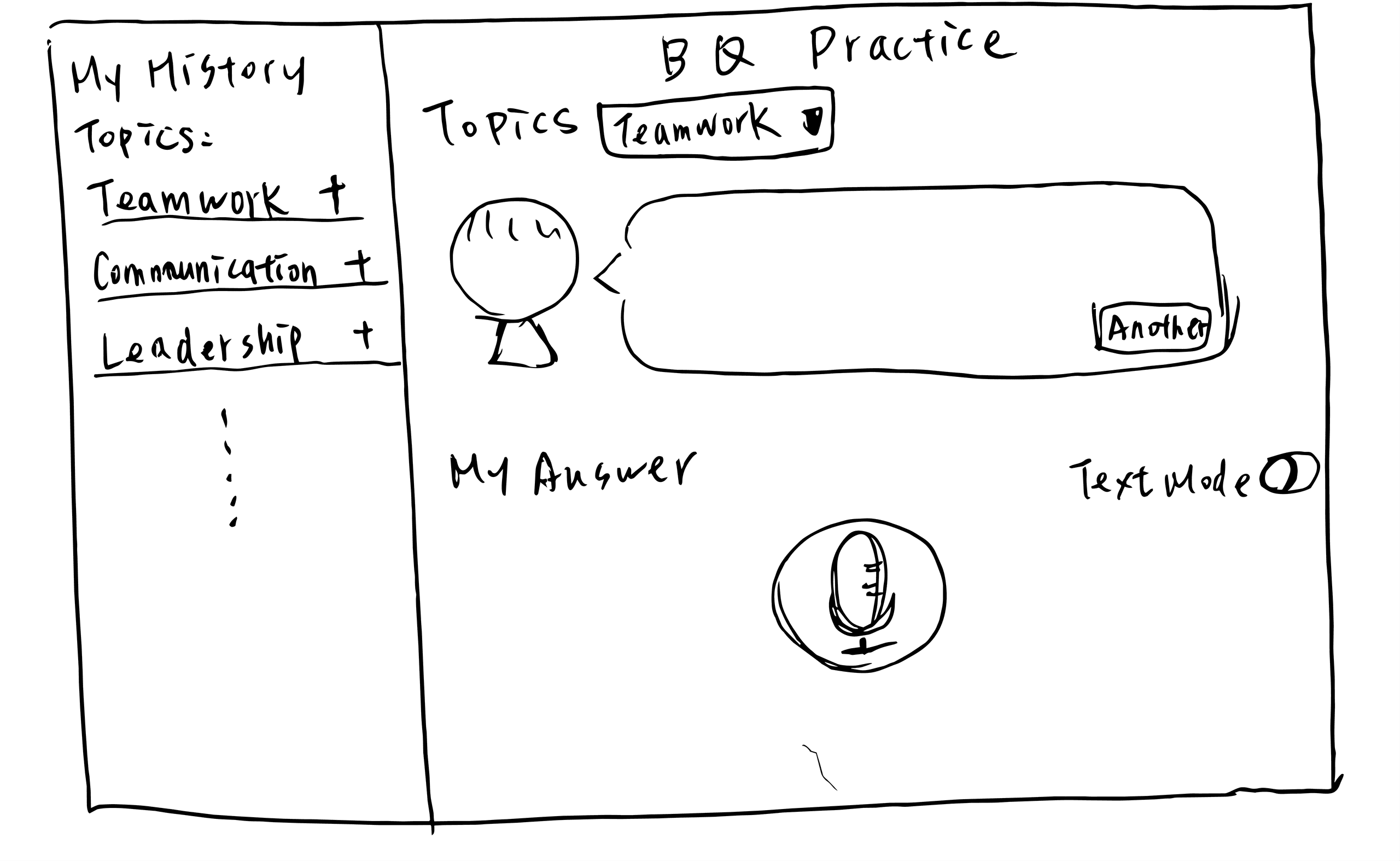
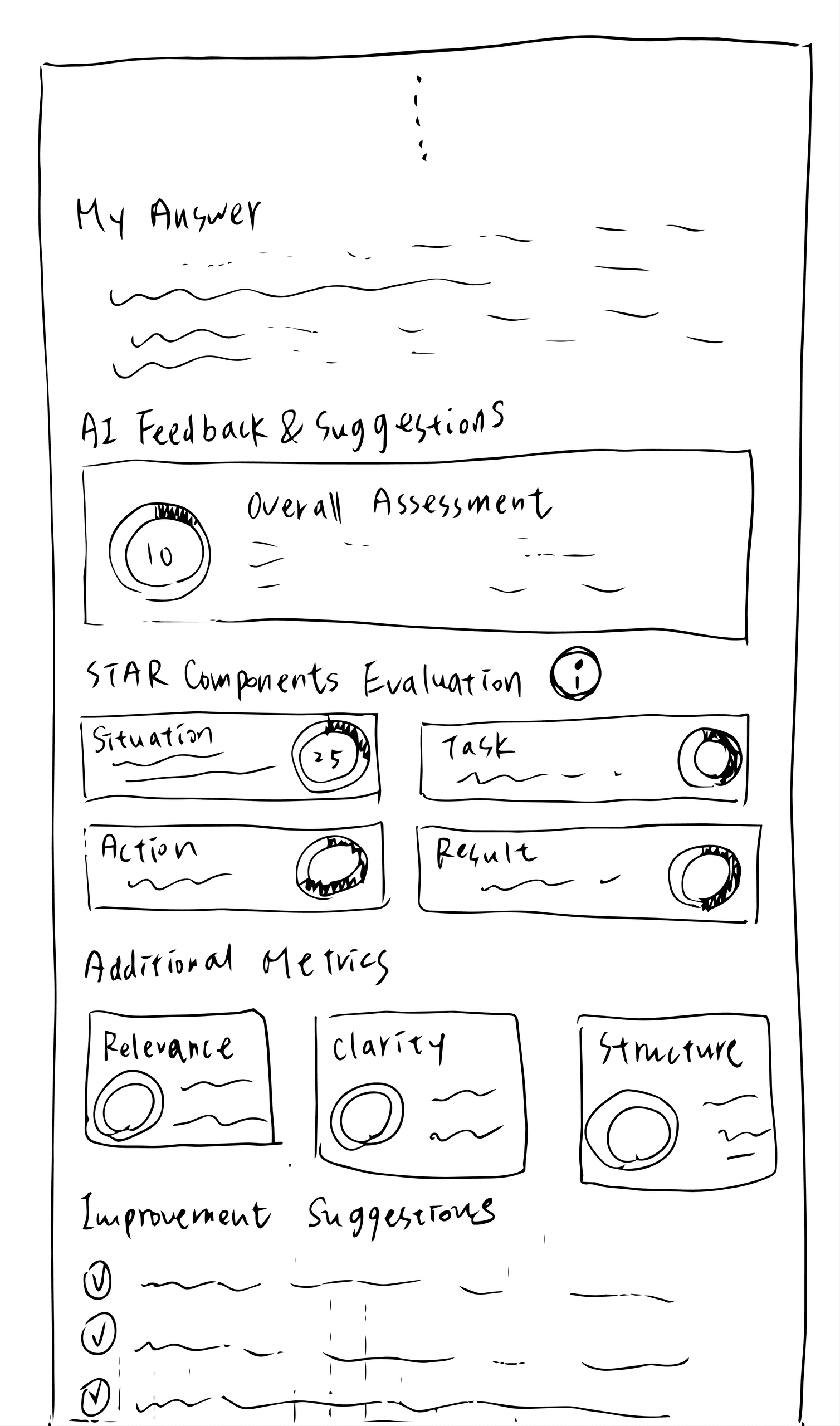
Usability Testing
Usability Testing 01 — Interviewer Presence
What type of interviewer presence works best?
OPTION 01
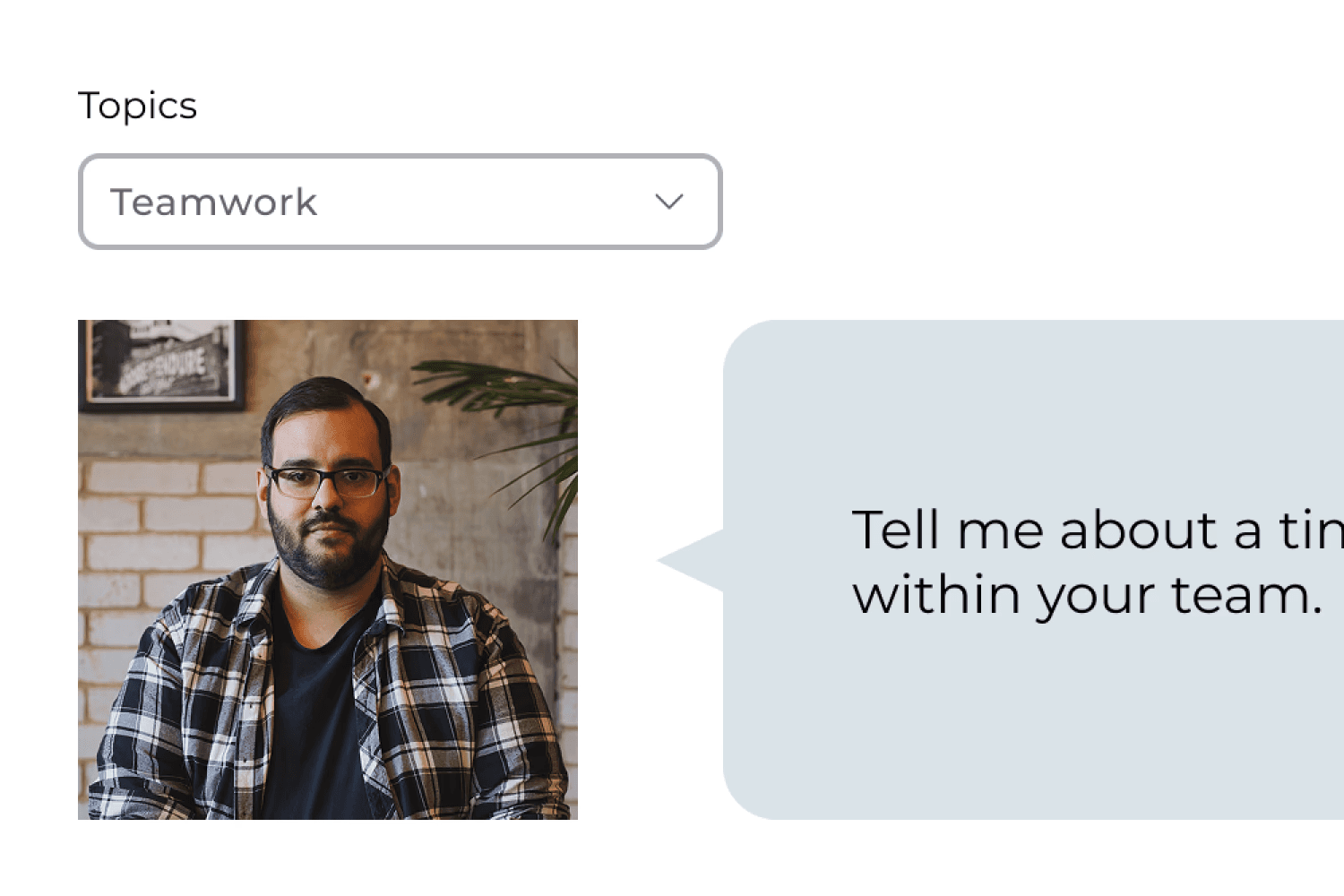
Realistic Human Avatar
SELECTED
OPTION 02
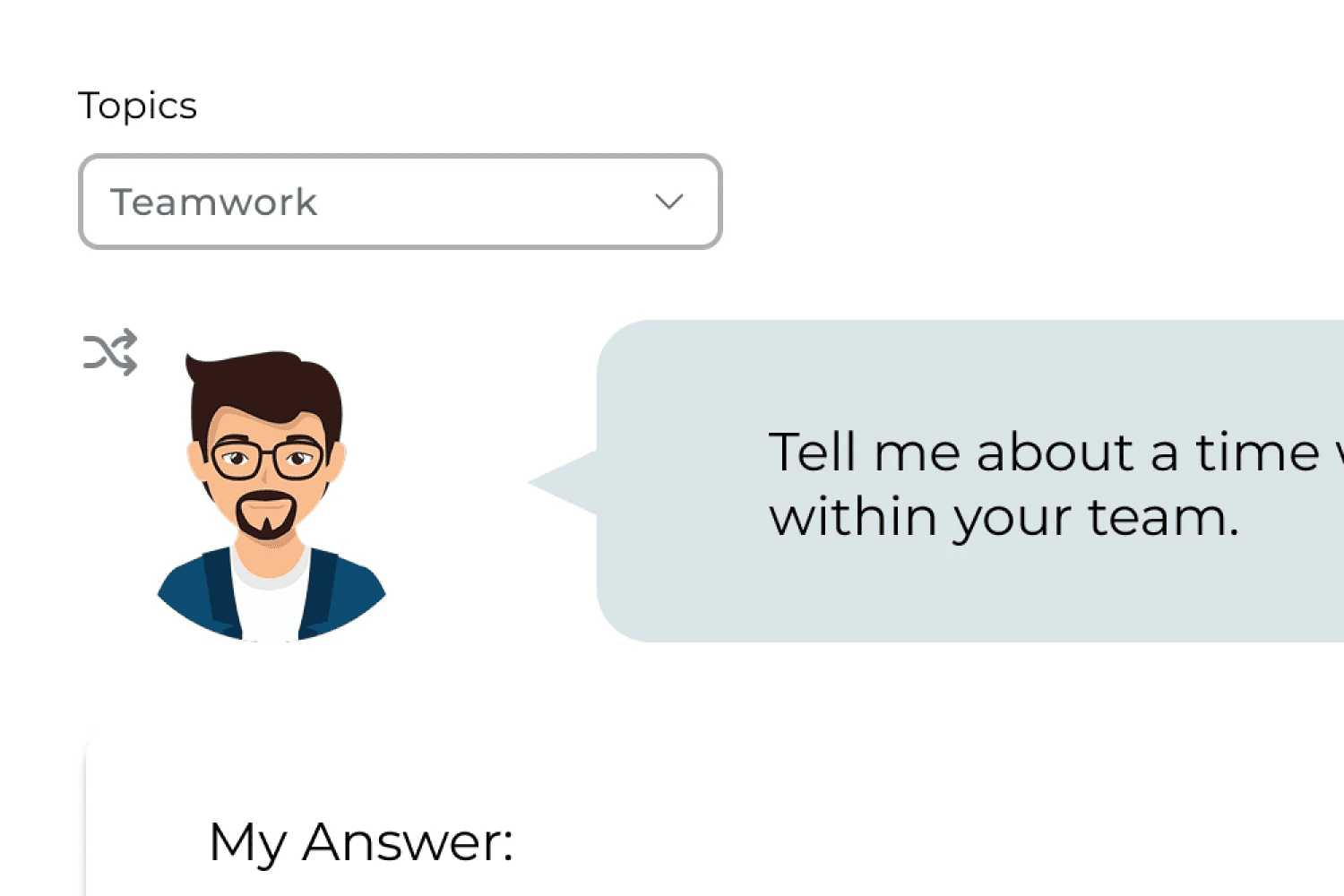
Illustrated Avatar
OPTION 03
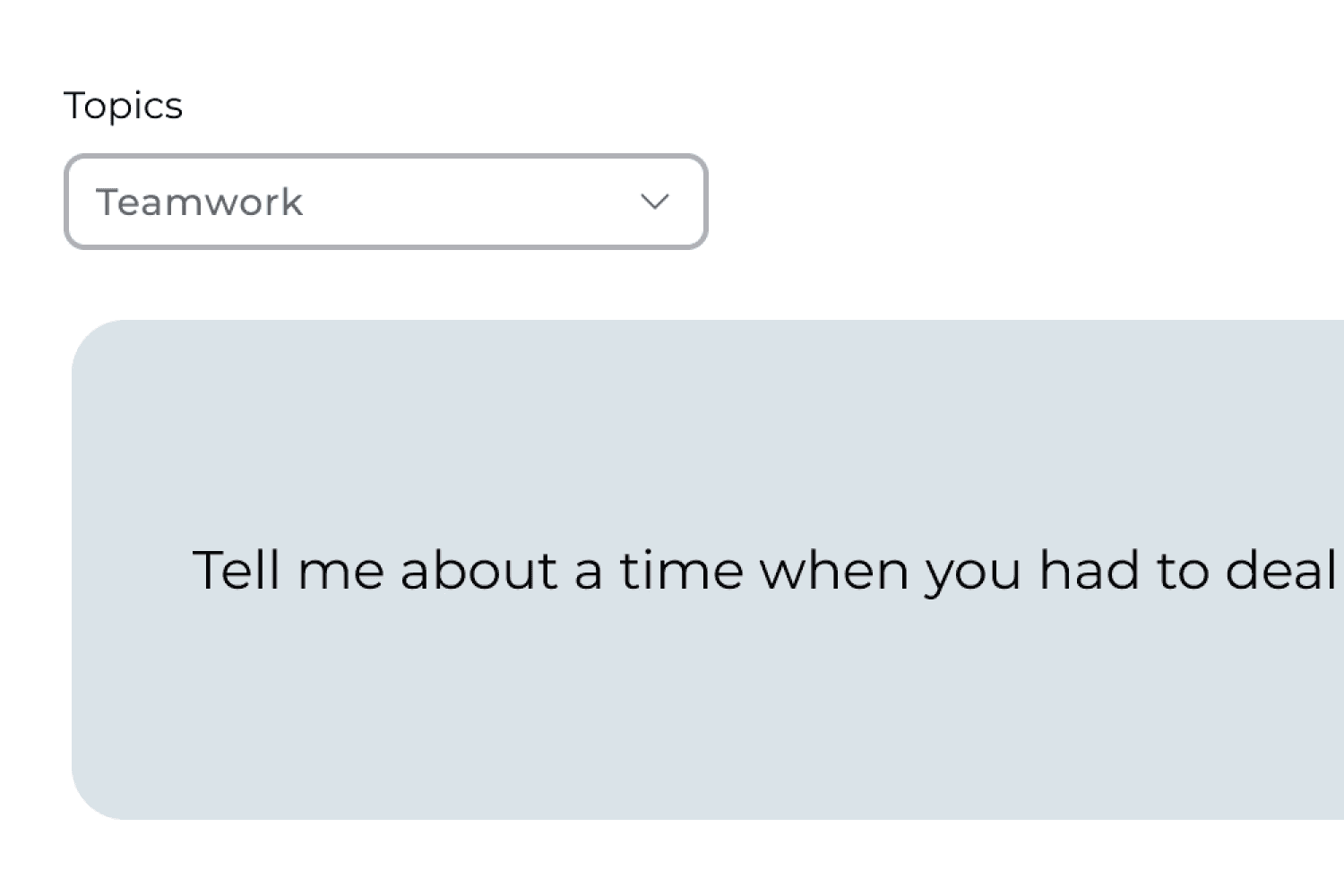
No Avatar
DESIGN DECISION
I selected the realistic human avatar based on user feedback, as participants felt it created a more authentic interview experience.
Usability Testing 02 — Answer History
How should answer history be organized?
OPTION 01
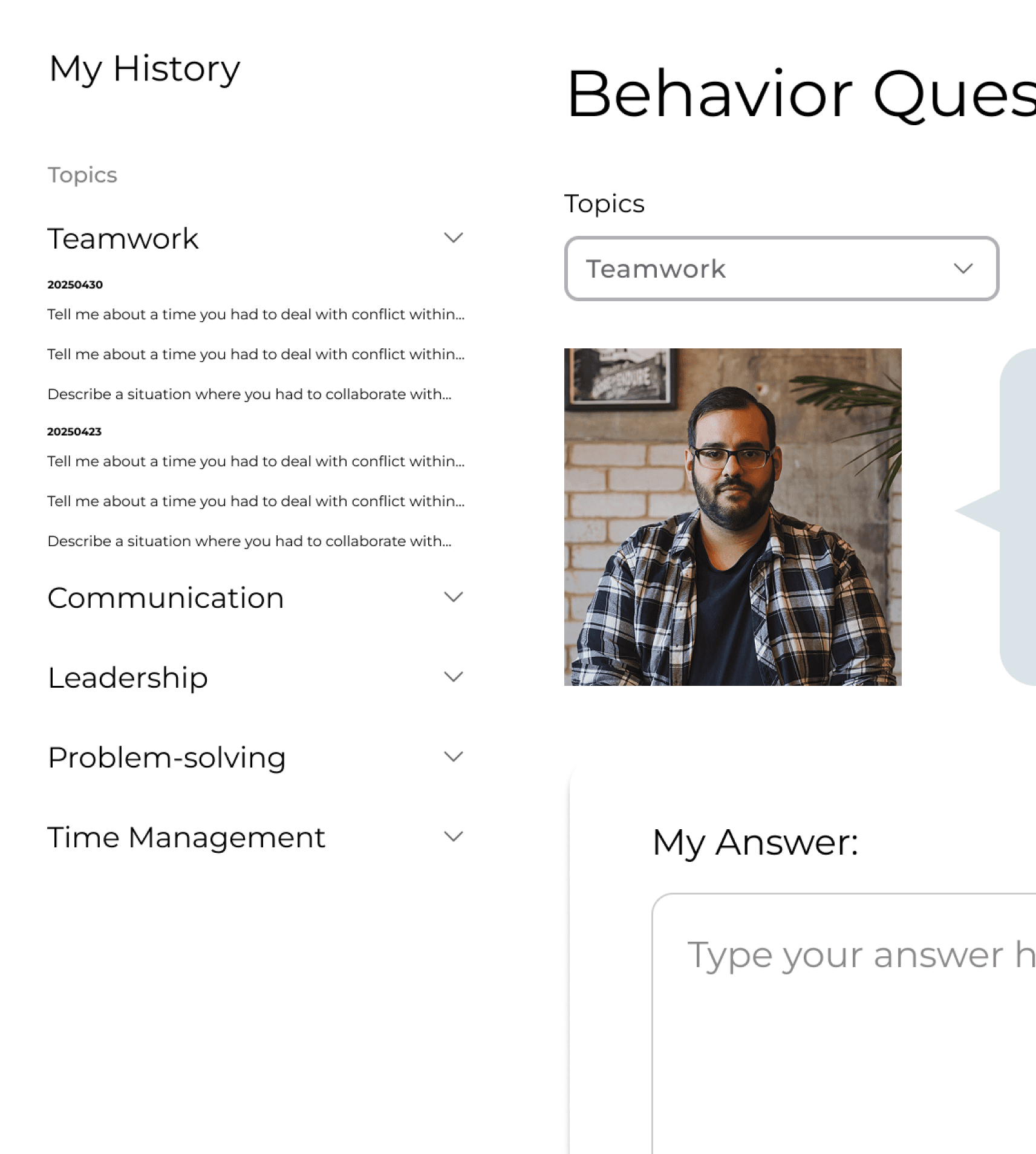
Grouped by Topic
SELECTED
OPTION 02
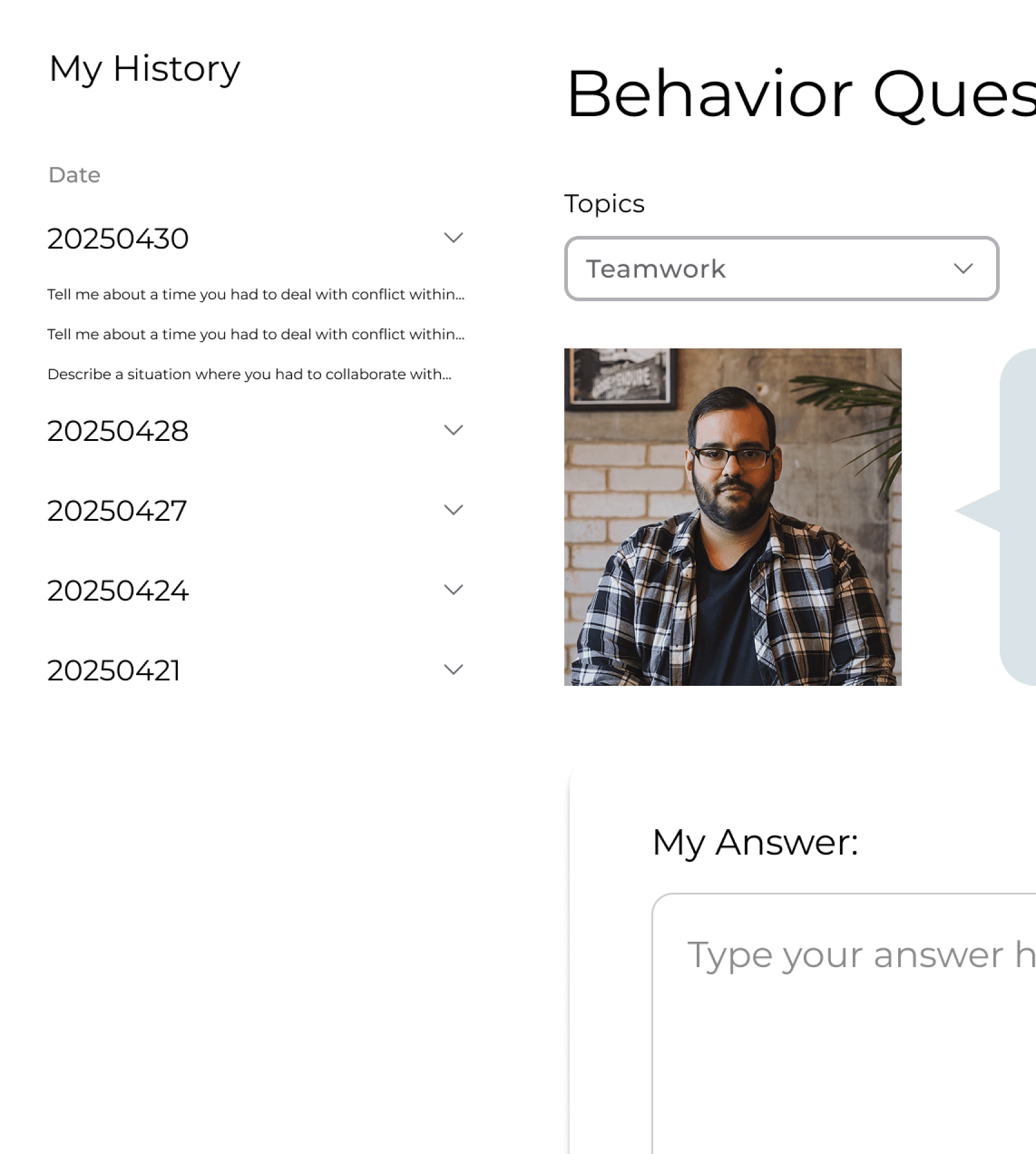
Grouped by Date
DESIGN DECISION
I chose to group interview answers by topic based on user feedback, as participants found it easier to review their responses and improve specific skills.
Design Iteration
After exploring initial sketches and conducting usability testing, I refined Mocky's interface based on user feedback to create a more intuitive and effective interview practice experience.
Practice & Progress
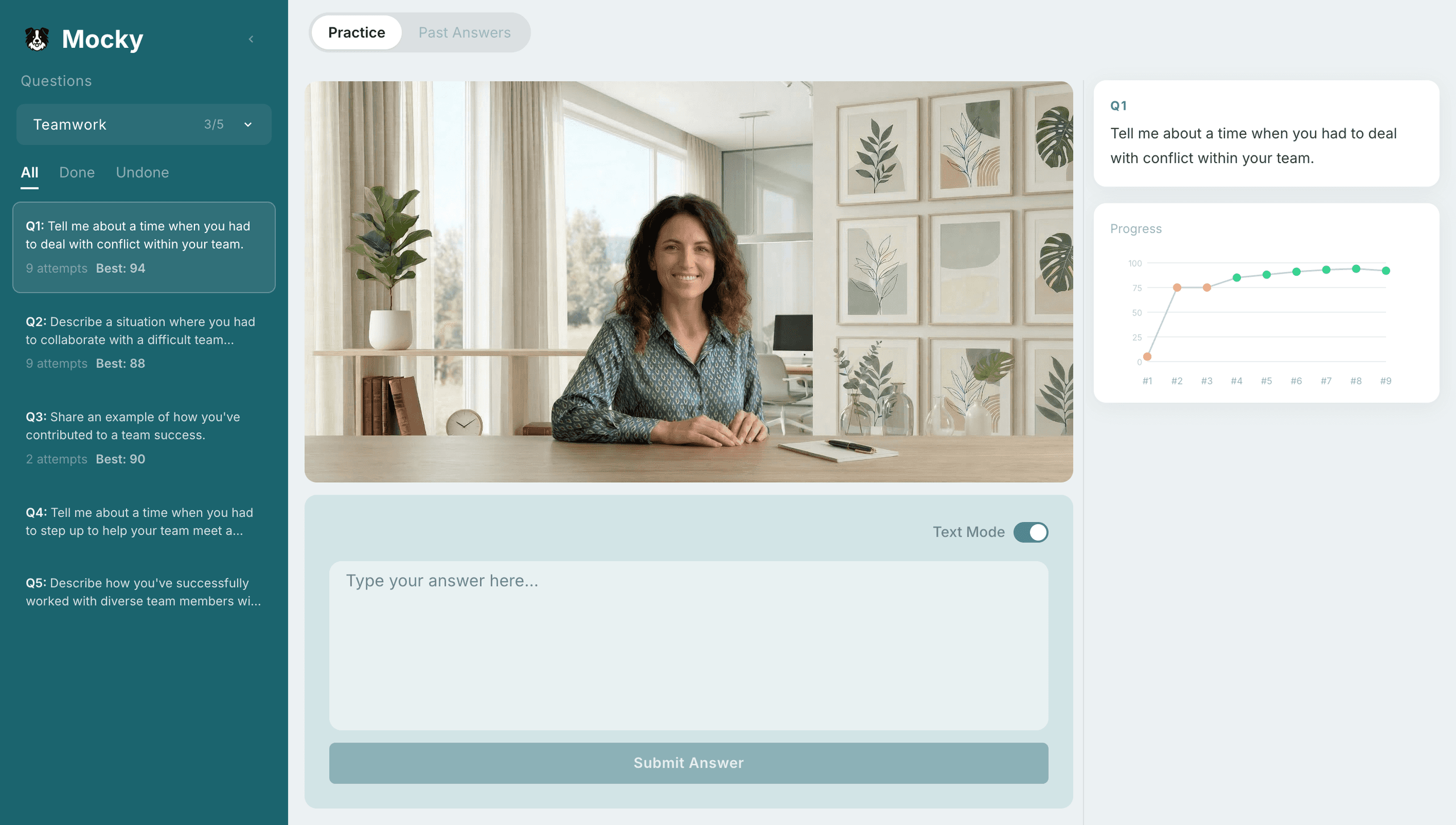
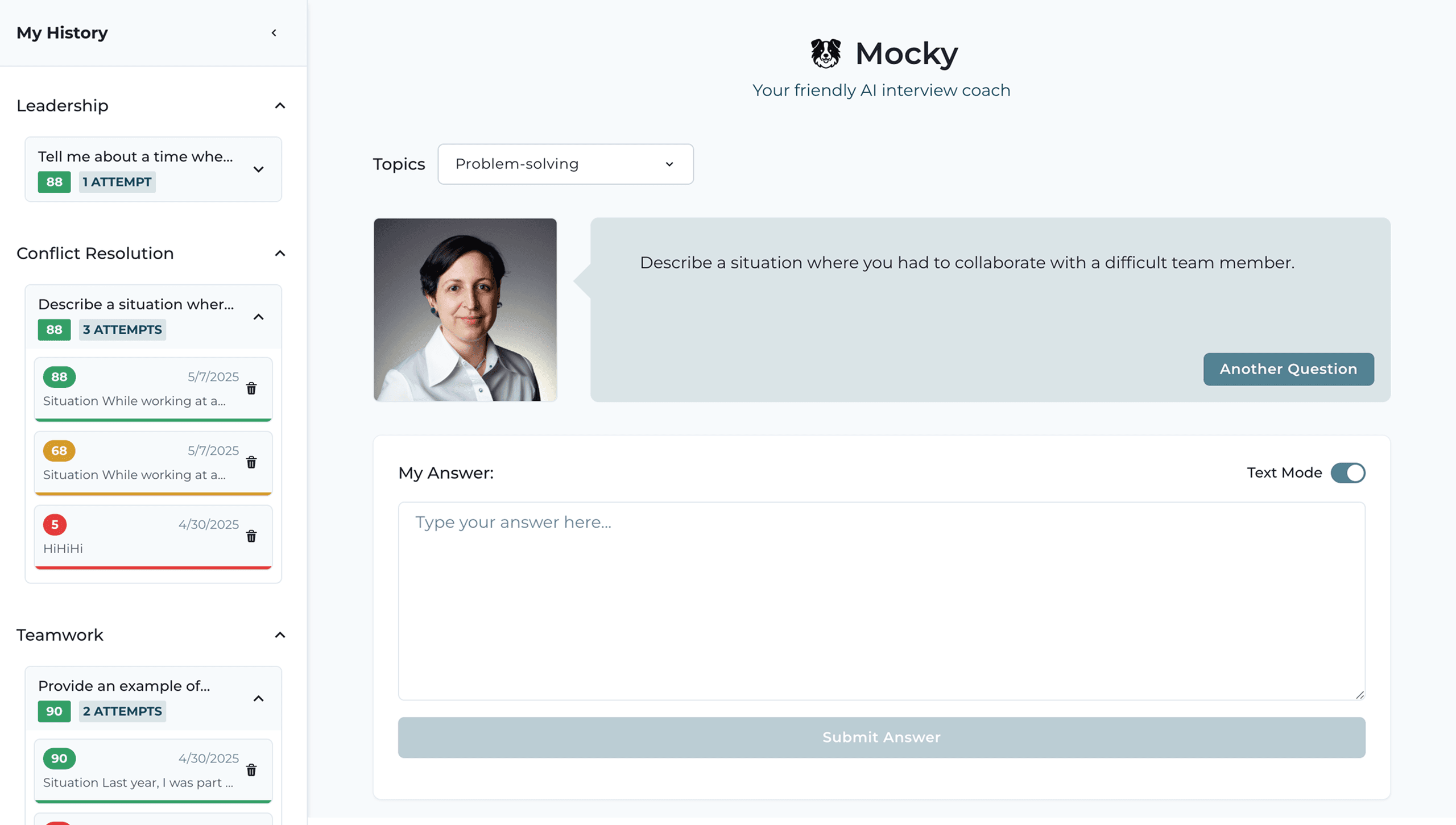
USER FEEDBACK
“I want to see all questions at once, not one at a time.”
DESIGN RESPONSE
Replaced random AI questions with a structured question list for flexible navigation.
USER FEEDBACK
“It feels more like texting than a real interview.”
DESIGN RESPONSE
Replaced avatar-based interaction with a more realistic, interview-like presence.
USER FEEDBACK
“It’s hard to track how much I’ve improved.”
DESIGN RESPONSE
Added per-question progress visualization to make improvement visible.
Reviewing Feedback
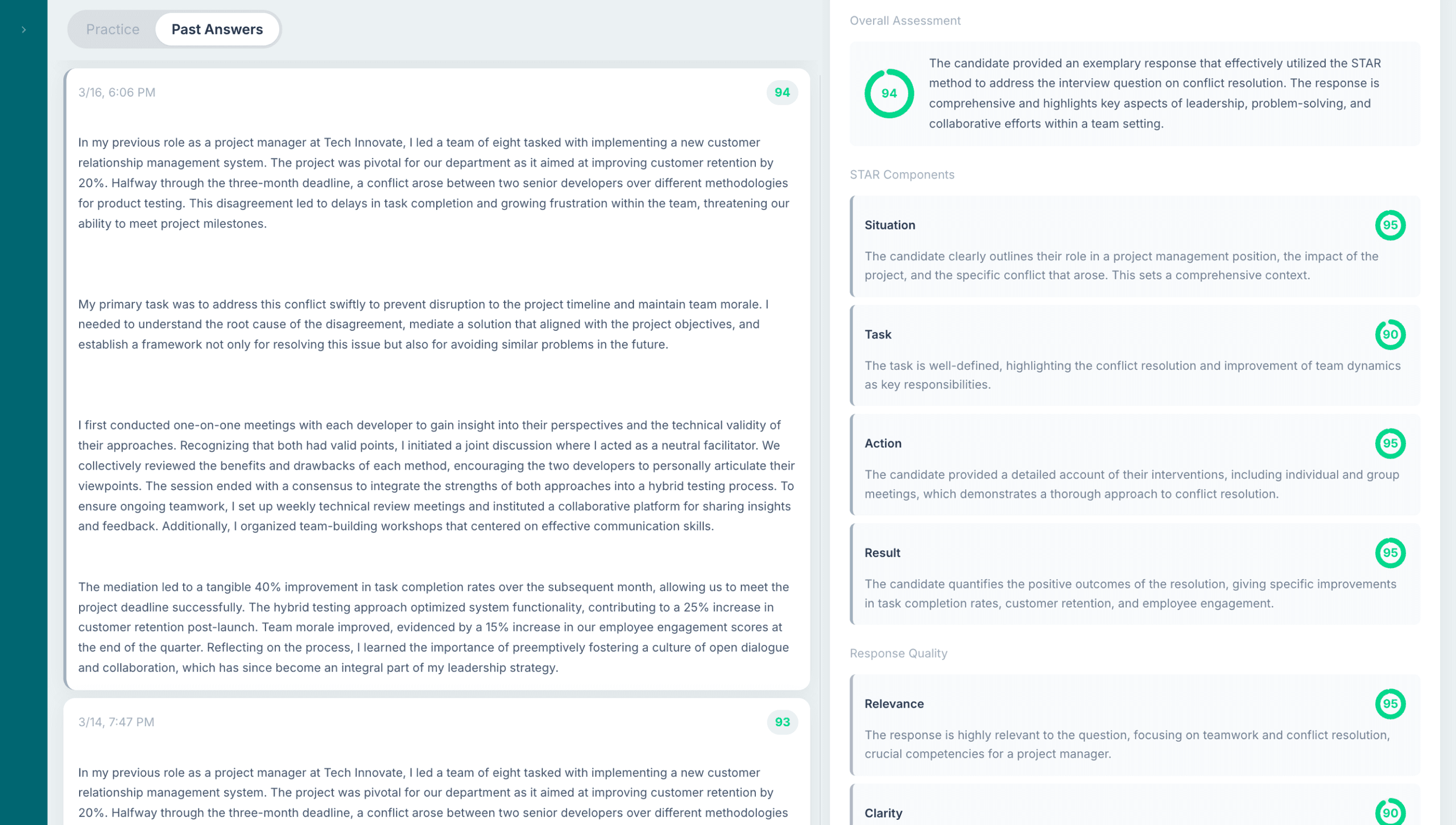
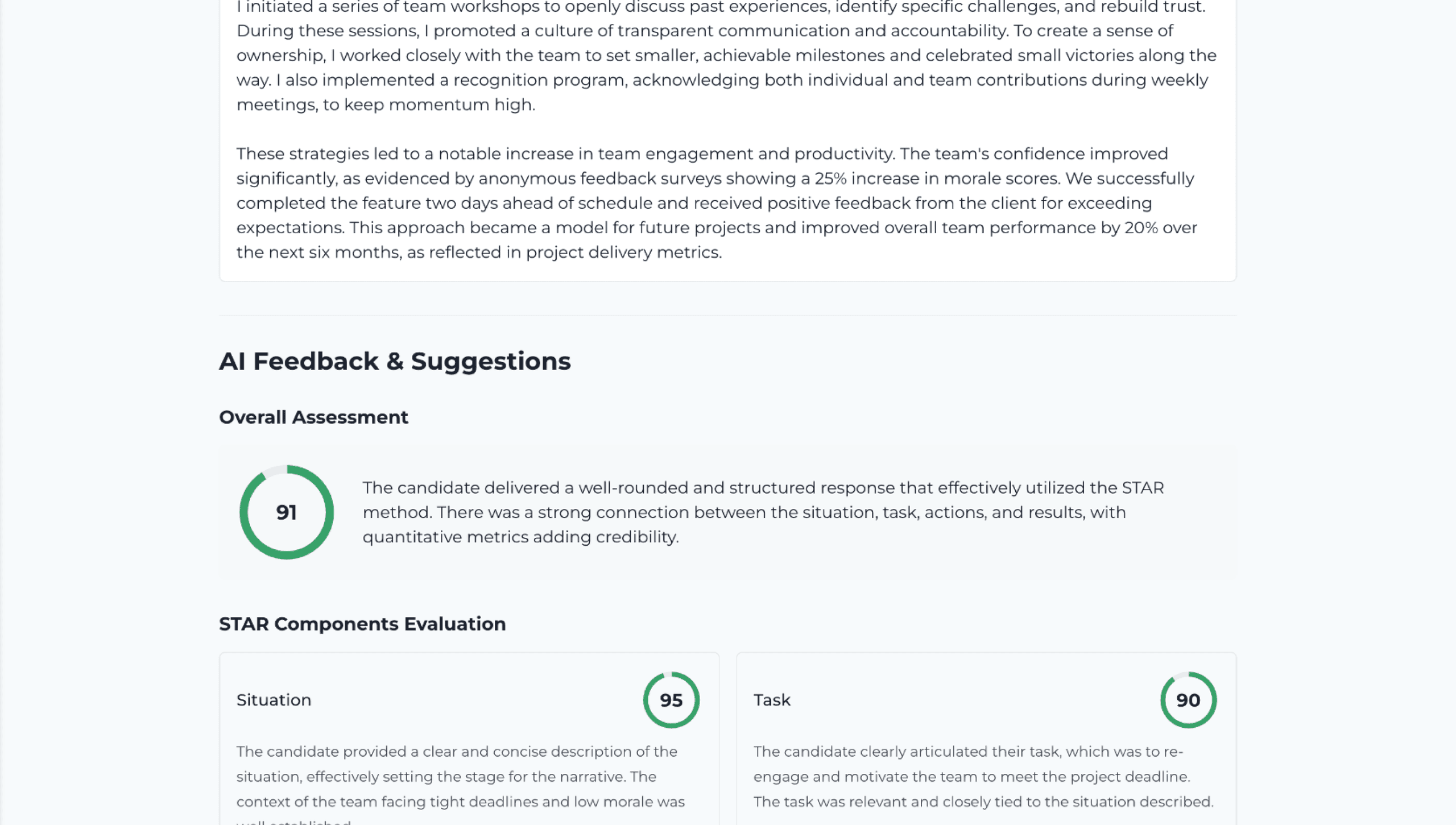
USER FEEDBACK
“I want to compare my answer with the feedback.”
DESIGN RESPONSE
Replaced vertical scrolling with a resizable side-by-side layout for easy comparison.
Final Design
Practice, reflect, and see your progress.
Practice interviews
- Browse questions by topic
- Answer in voice or text
- Submit your response
Review feedback
- Receive AI-generated feedback
- Review scores and suggestions
Track progress
- View answer history
- Monitor improvement over time
User Testing Result
Feedback is clearer, and progress is easier to see.
I conducted usability testing with 23 participants to evaluate how clearly they understood the analysis, reviewed feedback, and tracked their progress.
92%
of users found the analysis page clear and easy to understand.
85%
of users could clearly see their improvement over time.
88%
of users found the AI feedback actionable and helpful.
Next Steps
A more personal practice experience.
Enhance Personalization
Use resume or job context to generate tailored feedback, making the experience adapt to each person’s career stage and goals.
Takeaway
Design–engineering collaboration
Working within a shared system (e.g., Chakra UI) allows design decisions to translate directly into implementation, improving both consistency and efficiency.
AI-assisted iteration
By providing AI with rough layout sketches and a defined design system, it’s possible to quickly prototype and refine ideas, enabling faster iteration and early validation.